
A Google Books API key is required to use Books Gallery’s automatic book import feature – which lets you import complete book data (title, author, cover, description) into your WordPress site using just an ISBN number. This guide shows you exactly how to create a free Google Books API key in under 5 minutes. Once set up, you can import hundreds of books into your WordPress digital library without any manual data entry.
You can create a Google Books API key from the Google Cloud Console in a few minutes.
1. Open Google Cloud Console #
Go to → Google Cloud Console
Login with your Google account.

2. Create a Project #
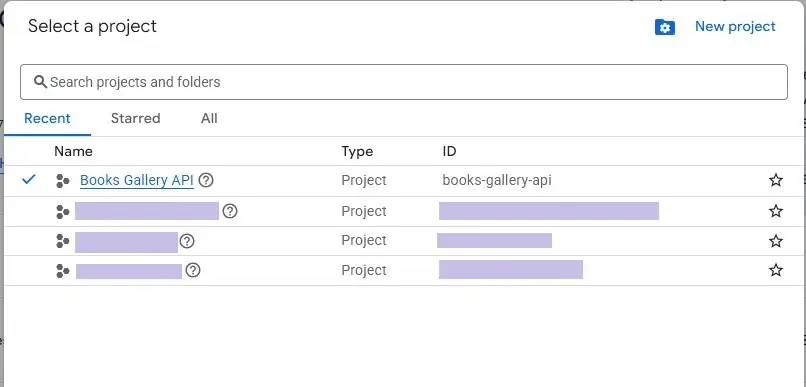
At the top:
- Click the project dropdown
- Click New Project
- Enter a name
Example:
Books Gallery API
Then click Create.
3. Enable Google Books API #
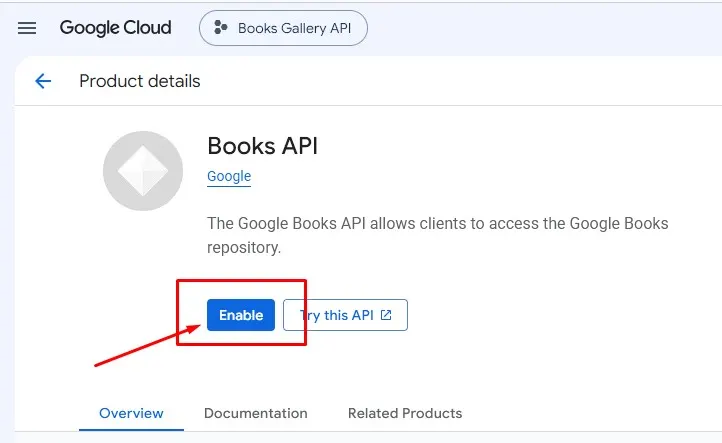
Open → Google API Library
Search for → Books API
Open it and click → Enable
4. Create Credentials #
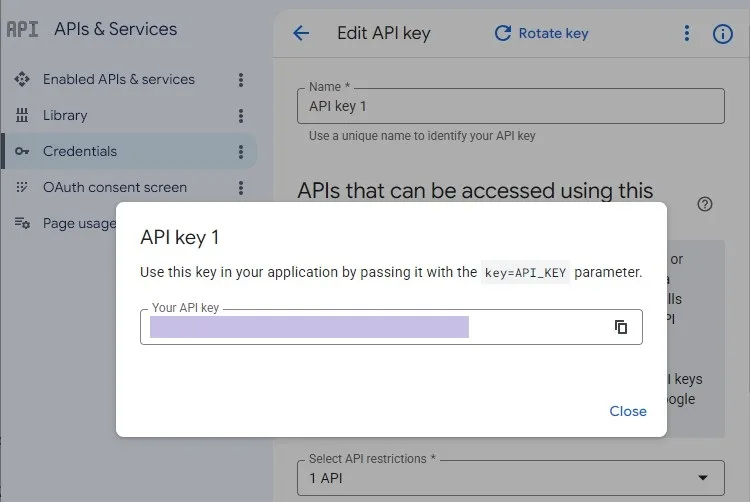
Go to → Credentials Page
Click → Create Credentials
Choose → API Key
Google will generate a key like:
AIzaSyAxxxxxxxxxxxxxxxx
5. Restrict the API Key (IMPORTANT) #
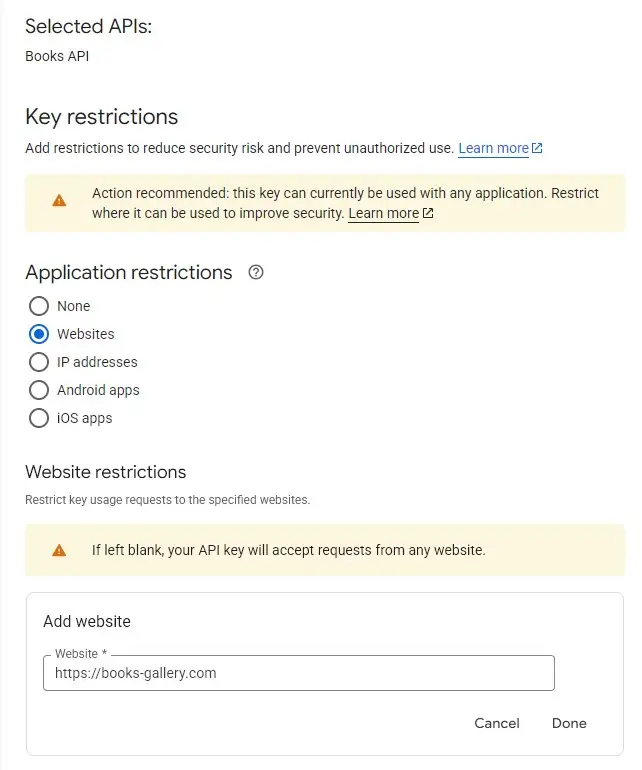
Click the created key.
Application Restrictions
Choose one:
For Website
HTTP referrers
Add your domain:
https://your-domain.com/*
6. Restrict API Usage #
Under:
API restrictions
Choose:
Restrict key
Select:
Books API
This prevents other Google services from using your key.
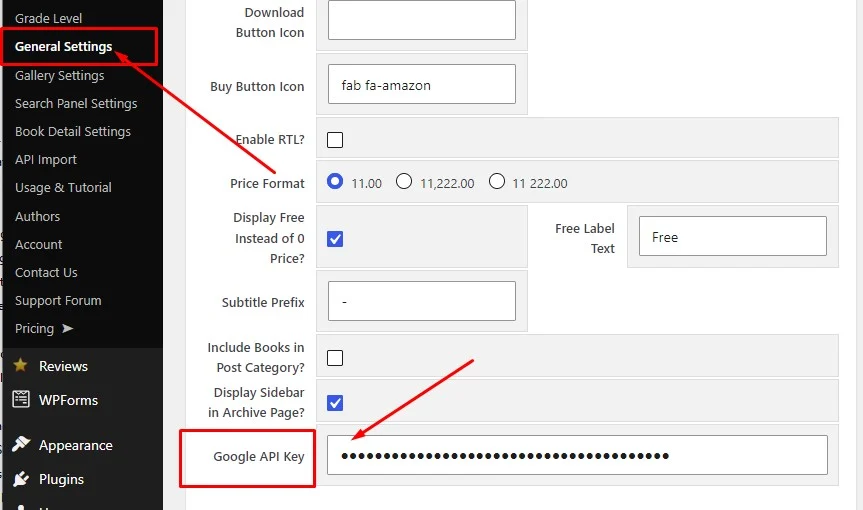
💡 Once your API key is created, go to your WordPress admin → WBG Books → General Settings → Google API Key field and paste it there. You can then import any book instantly using just its ISBN number – no manual data entry required.
This Google Books API key WordPress setup is a one-time process – once configured you never need to repeat it.
Once your API key is set up, you’re ready to start importing books. Read our complete guide: How to Create a Digital Library in WordPress →
Want to see all Books Gallery features? View the full features list →


