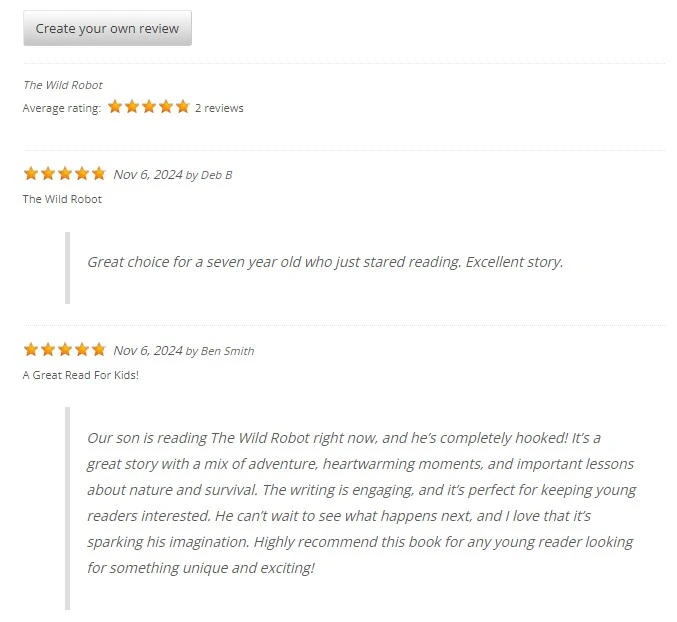
Book Reviews & Star Ratings #
Turn your book gallery into an interactive community. Books Gallery includes an integrated review and star rating system that lets visitors leave reviews and rate books directly on your site. This increases engagement, builds trust, and can even help your book pages rank in Google with review-rich snippets.
Step: 1 – Install and activate WP Customer Review #
To enable book review you will require another plugin called – “WP Customer Review“.
1. Go to Plugins → Add New in your WordPress admin
2. Search for WP Customer Review
3. Click Install Now next to WP Customer Review By Aaron Queen
4. Click Activate
After install it, you need to open a book in the editor and find the panel WP Customer Reviews.
There you need to set “Yes” in the option “Enable WP Customer Reviews”.
You need to also make sure “Hide review Form” is set to “No”.

After the settings is set, visitor will find the review button below the book description in the book details page.
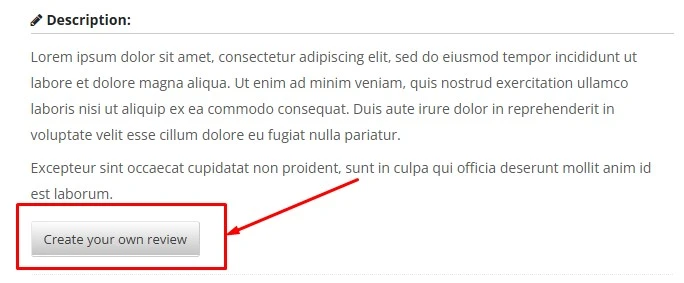
Once the review is given, an admin needs to approve the review.
Open the review from WordPress admin → Reviews → All Reviews.
Then click on the Quick Edit link under the review.
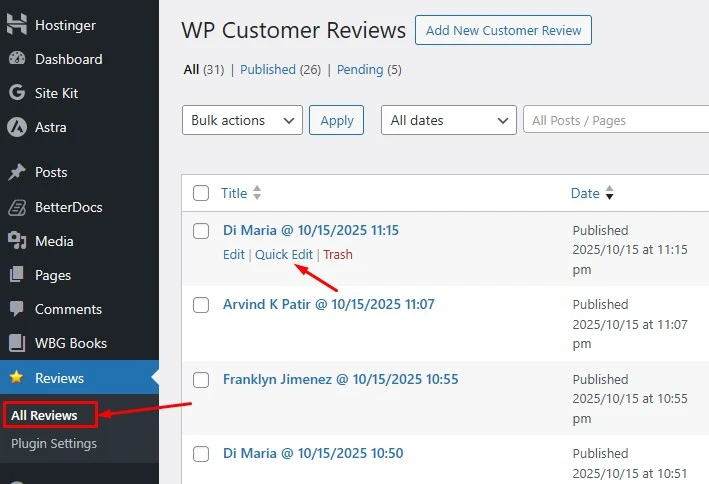
After that Select Published and press the Update button.

Now the visitors will see the review under the book.