
To install Books Gallery on your WordPress site:
- Log in to your WordPress admin dashboard
- Go to Plugins → Add New
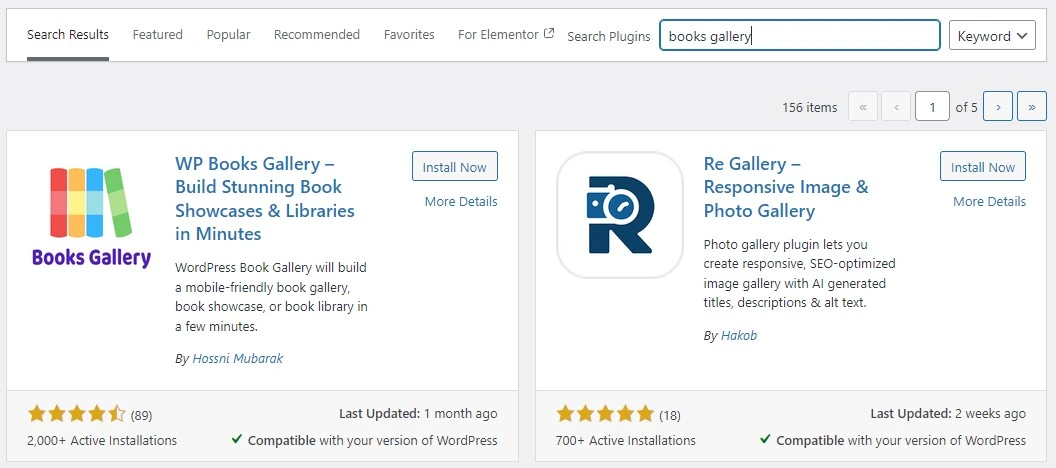
- Search for Books Gallery in the search field
- Click Install Now next to Books Gallery by HM Plugin
- Click Activate once installation completes
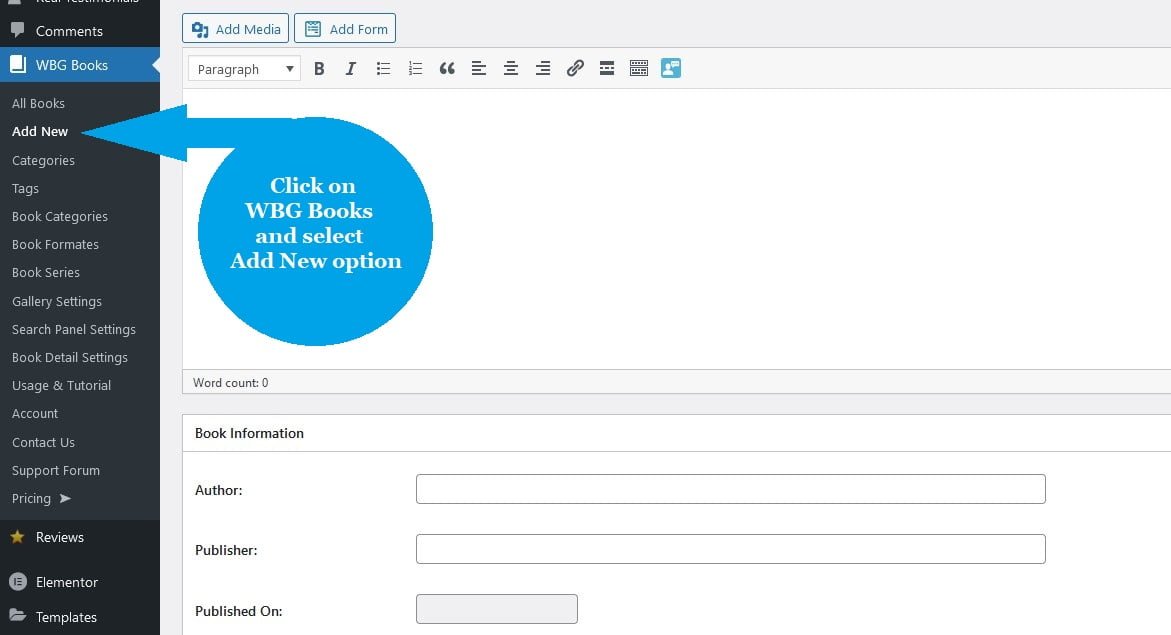
Once activated, you will see a new WBG Books menu in your WordPress admin sidebar. This is your digital library management hub – where you will add books, manage categories, and configure your library settings.
Pro tip:
If you purchased a premium plan, download the plugin zip from your account at books-gallery.com, then go to Plugins → Add New → Upload Plugin to install the premium version.


