
Table of Contents
Gate Your Content Behind Login #
Offering free book downloads? Control exactly who can access them. The download permission feature lets you show or hide the download button based on whether the visitor is logged in. This is ideal for membership sites, educational platforms, and libraries that want to gate their content behind a login.
- Show download button to logged-in users only
- Hide downloads for guests – encourage registrations
- Works with any WordPress membership or user-role plugin
How it works! #
Log in to your WordPress admin dashboard
Go to WBG Books → General Settings
Find the Download When Logged-in option.
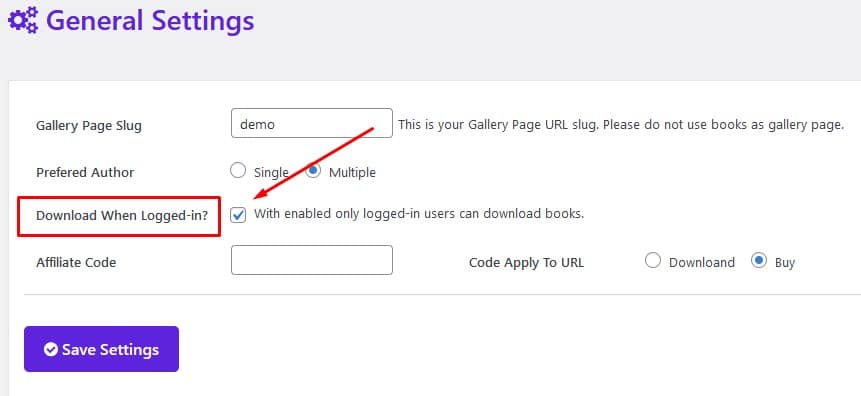
Check it and Save Settings.
Now download button will only appear to a logged in user.
▶ Auto-playing demo #


