
1. Single Page Template –
By default Book details information will display in a single page. It’s a template which is hard coded and integrated with the plugin.
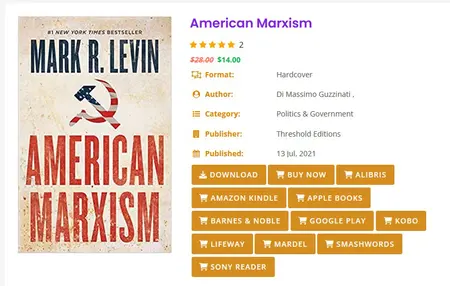
As it is hard coded, you can’t change/customize the layout without changing the template coding in the plugin.
You can open the single page view in the same page of the gallery view or you can chose to open the detail page in a new tab.
For that you need to enable the option in the Gallery Page Settings.
2. Pop Up Display –
You can also display the book detailed information in a popup view. Just click on the book title and the popup will open with book detailed information.

This Popup required a Professional version.
You need to disable the single page view option for that.